
Free IPTV Trial 2026 — How to Get the Best IPTV Service Free
Before committing to any IPTV subscription, a free trial lets you verify stream quality, channel availability, and reliability on your specific device and internet connection. No review online can replace 24 hours of personal testing.
This guide explains what a legitimate IPTV free trial looks like, what to test during your trial, and how to get started today.
What Is a Free IPTV Trial?
A free IPTV trial is a fully working account — with the same channels, quality, and features as a paid subscription — given to you at no cost for a limited time, typically 24–48 hours. The best providers require no credit card and no automatic billing.
A trial is different from a “demo” that shows you a handful of pre-selected channels. A real trial gives you access to the entire channel library so you can test the channels that actually matter to you.
Red Flags in IPTV Trials
Not all “free trials” are genuine:
- Credit card required — legitimate providers don’t need your payment details for a trial
- Only 10 or 20 demo channels — not a real test of their full service
- Automatic subscription after 24h — read terms carefully
- Shared trial credentials — if multiple people use the same login, stream quality is unreliable
What to Test During Your Free Trial
Make the most of your 24 hours by systematically testing each aspect:
1. Your Must-Have Channels
The first thing to check — do the channels you actually watch work well? Test your local news channels, sports packages, and any international channels you need.
2. Stream Quality During Peak Hours
IPTV providers can look great at 2am but buffer heavily at 8pm when everyone is online. Test the service during the evening (6pm–10pm) to simulate real-world conditions.
3. Live Sports Streaming
Live sports is the ultimate test — high-bitrate, real-time streams with no room for buffering. Find a live match during your trial and watch at least 15–20 minutes of it.
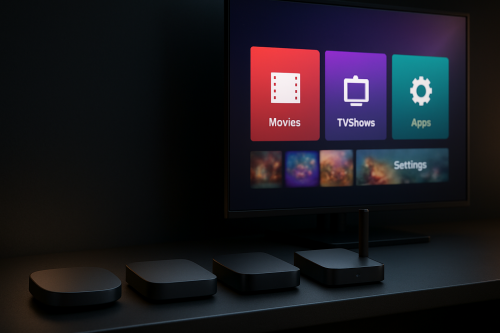
4. Device Compatibility
Test on every device you plan to use: TV, phone, tablet, laptop. A service that works perfectly on a Smart TV but lags on a phone is a problem if you travel.
5. Channel Loading Speed
How fast does a channel load when you switch to it? Under 3 seconds is good; over 8 seconds is a sign of an overloaded server.
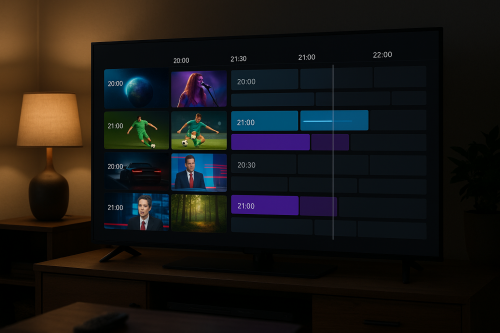
6. EPG Accuracy
Check whether the EPG shows current and upcoming programmes correctly. Missing or inaccurate EPG is a common issue with lower-quality providers.
7. Catch-Up Availability
If catch-up TV is advertised, test it — click back to yesterday’s programmes and verify they actually play.
8. Support Response Time
Send a test message to their support chat. A provider who responds within 15 minutes during your trial will respond just as quickly when you’re a paying customer.
How to Set Up Your Free Trial in 5 Minutes
- Visit the IPTV provider’s free trial page and submit your request.
- Receive your credentials (username, password, server URL) via email or WhatsApp.
- Install IPTV Smarters Pro or TiviMate on your device (both are free).
- Open the app, select Login with Xtream Codes, and enter your credentials.
- Your full channel list loads within 30 seconds — start watching.
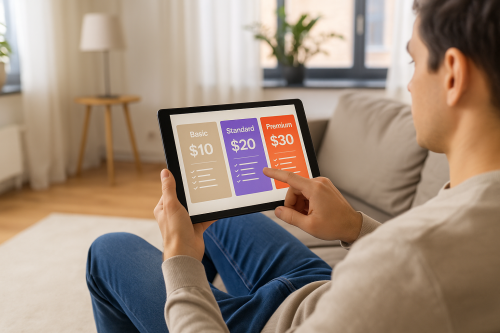
After Your Trial: Choosing the Right Plan
If you’re happy with the trial (and with a quality provider, you will be), here’s how to choose your plan:
- 1 month — try it out, good for seasonal content (World Cup, Olympics)
- 3 months — best balance of commitment and savings
- 6 months — significant saving over monthly; great if you’re confident
- 12 months — best value; pay once and enjoy a full year
Most providers offer a discount of 20–40% compared to the monthly rate when you pay for 6 or 12 months upfront.
Get Your Free 24-Hour IPTV Trial Now
IPTV Flag offers a genuine free 24-hour trial with:
- 20,000+ live channels including sports, movies, news, and international content
- HD, FHD, and 4K quality streams
- Full 7-day EPG
- Works on Firestick, Android, Smart TV, iPhone, PC, and MAG boxes
- No credit card required
- Activated in under 2 minutes