
IPTV Smarters Pro is one of the most popular IPTV player apps available, and it works perfectly on Amazon Firestick. It supports both M3U playlists and Xtream Codes API, making it compatible with virtually any IPTV subscription. In this guide, we’ll walk you through installing and setting up IPTV Smarters Pro on your Firestick in 2026.
20,000+ channels, 100,000+ VOD. No credit card needed.
👉 Start Free 24H Trial
What Is IPTV Smarters Pro?
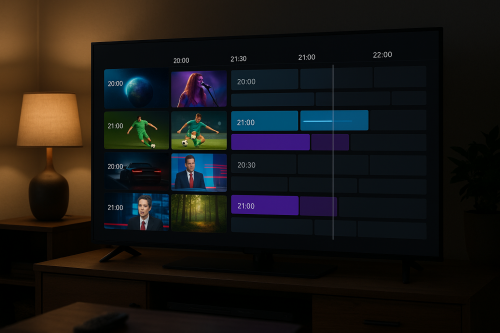
IPTV Smarters Pro is a free, feature-rich IPTV player that lets you stream live TV, movies, and series from your IPTV provider. It has a clean interface, supports Electronic Program Guide (EPG), allows multiple user profiles, and works on Android, iOS, Firestick, and Smart TVs.
Requirements
- Amazon Firestick (any generation)
- Active IPTV subscription from a provider like IPTV Flag
- Internet connection (10 Mbps minimum)
- Downloader app installed on Firestick
Step 1 – Enable Unknown Sources on Firestick
- Go to Settings → My Fire TV → Developer Options
- Enable Apps from Unknown Sources
- Confirm by clicking Turn On
Step 2 – Install the Downloader App
- From the Firestick home screen, search for Downloader
- Download and install the Downloader app (orange icon)
- Open Downloader and grant storage permissions
Step 3 – Download IPTV Smarters Pro APK
- Open the Downloader app
- In the URL bar, type the IPTV Smarters Pro APK download URL
- Click Go and wait for the download to complete
- When prompted, click Install
- After installation, click Done (do not open yet)
Step 4 – Set Up IPTV Smarters Pro with Your Subscription
Now let’s connect your IPTV subscription to the app:
- Open IPTV Smarters Pro from your apps list
- Accept the Terms of Service
- On the login screen, select Login with Xtream Codes API
- Enter the following details from your IPTV provider:
- Your Name: Any name you prefer
- Server URL: Provided by your IPTV service
- Username: Your IPTV username
- Password: Your IPTV password
- Click Add User
- Wait for channels to load (may take 1–3 minutes depending on your connection)
IPTV Flag offers 20,000+ channels with anti-buffering technology. Try it free for 24 hours — no credit card required.
→ Claim Your Free Trial
Step 5 – Navigate IPTV Smarters Pro
Once loaded, you’ll see four main sections:
- Live TV — All your live channels organized by category
- Movies — VOD movie library
- Series — TV show library
- Catch Up — Watch previously aired programs
IPTV Smarters Pro Tips and Tricks
- Use the EPG (Electronic Program Guide) to see what’s on and schedule reminders
- Add channels to favorites for quick access
- Use the search function to find channels or movies instantly
- Enable parental controls to restrict adult content
Best IPTV Service for IPTV Smarters Pro
IPTV Flag is fully compatible with IPTV Smarters Pro and provides Xtream Codes credentials with your subscription. With 20,000+ channels, 100,000+ VOD titles, and anti-buffering technology, it’s the perfect pairing for IPTV Smarters Pro.
Start with a free 24-hour trial — no credit card needed — and get your login details instantly by email.
Conclusion
IPTV Smarters Pro is one of the easiest and most powerful IPTV players for Firestick. Combined with a quality service like IPTV Flag, you get a premium TV experience at a fraction of the cost of cable. Follow the steps above and you’ll be streaming in minutes.