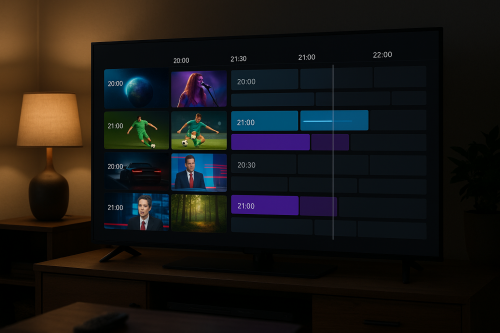

Samsung Smart TVs are among the most popular televisions in the world, and watching IPTV on them is easier than you might think. In this guide, we cover every method to get IPTV running on your Samsung Smart TV in 2026.
20,000+ channels · 100,000+ VOD · No credit card needed.
👉 Claim Free Trial
Methods to Watch IPTV on Samsung Smart TV
Method 1 – Using a Firestick or Android TV Box (Recommended)
The easiest and most reliable method is to plug an Amazon Firestick or Android TV box into your Samsung TV’s HDMI port. This gives you access to all IPTV apps and is much more flexible than Samsung’s built-in Tizen OS.
Method 2 – Samsung Smart IPTV App (Tizen OS)
For Samsung TVs running Tizen OS (most models from 2015 onwards), you can install the Smart IPTV app:
- Go to the Samsung App Store on your TV
- Search for Smart IPTV
- Download and install the app
- Note your TV’s MAC address shown in the app
- Register your MAC address on the Smart IPTV website
- Upload your M3U playlist URL from your IPTV provider
- Restart the app on your TV — channels will appear
Method 3 – Screen Mirroring from Phone or PC
Use Samsung’s built-in screen mirroring (SmartView) to cast IPTV from your phone or laptop to your TV. While convenient, this method depends on your mobile device’s battery and connection quality.
Getting Your M3U URL from IPTV Flag
When you subscribe to IPTV Flag, you receive an M3U URL and Xtream Codes credentials by email within minutes. These work with all three methods above.
IPTV Flag — 20,000+ channels, anti-buffering tech, free 24H trial.
→ Start Free Trial Now
Recommended Setup: Firestick + IPTV Flag
For the best IPTV experience on your Samsung TV, we recommend:
- Purchase a Fire TV Stick 4K Max (~$60)
- Plug it into your Samsung TV’s HDMI port
- Install IPTV Smarters Pro or TiviMate
- Log in with your IPTV Flag credentials
- Enjoy 20,000+ channels in 4K on your Samsung TV
Conclusion
There are multiple ways to watch IPTV on a Samsung Smart TV, with the Firestick method being the most reliable and feature-rich. Try IPTV Flag free for 24 hours and experience 20,000+ channels on your Samsung TV today.