
GSE Smart IPTV is one of the most versatile and feature-packed IPTV players available in 2026, particularly popular among iOS users. This comprehensive guide walks you through everything you need to know about GSE Smart IPTV — from installation to advanced features.
🔥 Get IPTV Flag Free Trial — Watch 20,000+ Channels
Experience the best IPTV service with a 24-hour free trial. No credit card required.
What Is GSE Smart IPTV?
GSE Smart IPTV is a professional IPTV solution that supports both M3U playlists and Xtream Codes API. Unlike many IPTV players that are Android-first, GSE was built from the ground up for iOS and has excellent support for iPhone, iPad, and Apple TV, while also being available on Android.
Key Features:
- Full M3U and Xtream Codes support
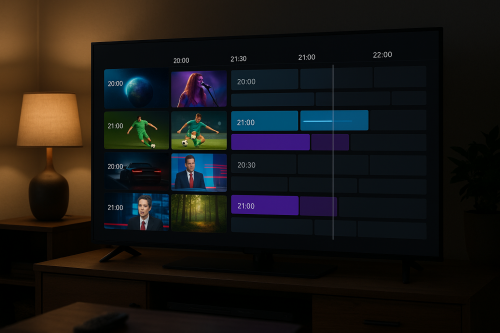
- Built-in EPG (Electronic Program Guide)
- Support for multiple playlists simultaneously
- Parental control features
- Chromecast support
- AirPlay support (iOS)
- Picture-in-Picture mode
- Custom media player settings
How to Install GSE Smart IPTV
On iPhone / iPad (iOS)
- Open the App Store on your device
- Search for “GSE Smart IPTV“
- Tap Get to download and install
- Open the app once installation is complete
On Android
- Open the Google Play Store
- Search for “GSE Smart IPTV“
- Tap Install
- Open the app after installation
On Amazon Firestick
- Go to Settings → My Fire TV → Developer Options
- Enable Apps from Unknown Sources
- Install the Downloader app from the Amazon App Store
- Use Downloader to sideload the GSE Smart IPTV APK
⭐ Why Choose IPTV Flag?
- 20,000+ Live TV Channels
- 40,000+ Movies & TV Shows on demand
- 4K, FHD & HD streams with anti-freeze technology
- Compatible with all devices — Firestick, Android, iOS, Smart TV
- 24/7 customer support
How to Set Up IPTV Flag on GSE Smart IPTV
Once you have your IPTV Flag subscription, follow these steps:
Method 1: Using Xtream Codes (Recommended)
- Open GSE Smart IPTV
- Tap the menu icon (three lines) in the top left
- Select Xtream IPTV Login
- Enter your IPTV Flag credentials:
- Server URL: provided by IPTV Flag
- Username: your username
- Password: your password
- Tap Add to save
- Your channels will begin loading automatically
Method 2: Using M3U Playlist URL
- Open GSE Smart IPTV
- Tap the menu icon
- Select Remote Playlists
- Tap the + button
- Choose Add M3U URL
- Paste your IPTV Flag M3U URL
- Give it a name (e.g., “IPTV Flag”)
- Tap Add
Navigating GSE Smart IPTV
Channel List
After loading your playlist, channels are organized by group. Tap any group to expand and see channels within that category. Use the search function to find specific channels quickly.
EPG (TV Guide)
GSE’s built-in EPG shows current and upcoming programs. Tap any program in the guide to get more details or set a reminder. IPTV Flag provides a full EPG so your program guide stays up to date.
Favorites
Long-press any channel to add it to your Favorites list for quick access. Your favorites appear at the top of the channel list for convenience.
GSE Smart IPTV Settings to Optimize Performance
Video Player Settings
- Player Engine: Try the native player first; if experiencing issues, switch to GPlayer or VLC
- Buffer Size: Increase buffer to 5000ms for more stable streams
- Reconnect on Error: Enable this to auto-reconnect if a stream drops
Network Settings
- Use Wi-Fi over mobile data for best quality
- For 4K streams, ensure your internet speed is at least 25 Mbps
- Consider using a VPN if your ISP throttles streaming
Troubleshooting Common GSE Smart IPTV Issues
Channels Not Loading
- Check your internet connection
- Verify your IPTV Flag credentials are correct
- Try refreshing the playlist by going to Settings → Remote Playlists and tapping refresh
Buffering Issues
- Increase the buffer size in player settings
- Switch to a lower quality stream temporarily
- Check if other devices on your network are using bandwidth
- Consider using a VPN to bypass ISP throttling
EPG Not Showing
- Ensure your EPG URL is correctly configured
- Tap the refresh EPG button in settings
- IPTV Flag automatically provides EPG data with Xtream Codes connections
GSE Smart IPTV vs Other Players
GSE Smart IPTV is particularly strong on iOS where alternatives are limited. For Android/Firestick users, TiviMate and IPTV Smarters Pro offer more polished experiences, but GSE remains a solid cross-platform choice.
Get Started with IPTV Flag + GSE Smart IPTV Today
The combination of GSE Smart IPTV and IPTV Flag’s service gives you a complete cord-cutting solution. Try IPTV Flag free for 24 hours to see if it’s right for you.
🔥 Get IPTV Flag Free Trial — Watch 20,000+ Channels
Experience the best IPTV service with a 24-hour free trial. No credit card required.