
Perfect Player is a powerful and free IPTV player that’s beloved by cord-cutters who want a customizable, DVR-style interface for their IPTV experience. In this guide, we’ll cover everything from installation to advanced setup so you can get the most out of Perfect Player with your IPTV service.
🔥 Get IPTV Flag Free Trial — Watch 20,000+ Channels
Experience the best IPTV service with a 24-hour free trial. No credit card required.
What Is Perfect Player?
Perfect Player is a free IPTV and media player application available for Android and Android TV devices. It’s known for its clean Kodi-like interface, robust EPG support, and ability to handle large channel lists without performance issues. The name says it all — for many users, it’s the perfect IPTV player.
Perfect Player Key Features:
- Clean, TV-friendly interface similar to a traditional set-top box
- M3U playlist support (local files and remote URLs)
- XMLTV EPG guide support
- DVR-style recording capabilities
- Multiple video player engines
- Password protection for groups
- Favorites and recently watched lists
- Completely free with no ads
Where to Download Perfect Player
Android / Android TV
Perfect Player is available on the Google Play Store:
- Open Google Play Store
- Search for “Perfect Player IPTV“
- Tap Install
Amazon Firestick (Sideload Method)
- Enable Apps from Unknown Sources in Developer Options
- Install Downloader from the Amazon App Store
- Open Downloader and enter the Perfect Player APK URL
- Follow the installation prompts
⭐ Why Choose IPTV Flag?
- 20,000+ Live TV Channels
- 40,000+ Movies & TV Shows on demand
- 4K, FHD & HD streams with anti-freeze technology
- Compatible with all devices — Firestick, Android, iOS, Smart TV
- 24/7 customer support
How to Set Up Perfect Player with IPTV Flag
Step 1: Get Your IPTV Flag Playlist
First, request your IPTV Flag free trial to get your M3U playlist URL and EPG URL.
Step 2: Configure the Playlist
- Open Perfect Player
- Tap the gear icon to open Settings
- Go to General settings
- Find Playlist and enter your IPTV Flag M3U URL
- Find EPG and enter your IPTV Flag EPG URL
- Tap OK to save
Step 3: Load Your Channels
- Return to the main screen
- Tap the Update button to load your channels
- Wait for the channel list to populate (may take 1-2 minutes for large lists)
- Your IPTV Flag channels will appear organized by category
Perfect Player Interface Guide
Main Screen
The main screen shows your channel groups on the left panel. Click any group to expand the channel list on the right. The current time and date are displayed prominently.
Channel List View
Channels display with their logo, name, and current program (when EPG is configured). Navigate with arrow keys on remote or swipe on touch screens.
EPG (Program Guide)
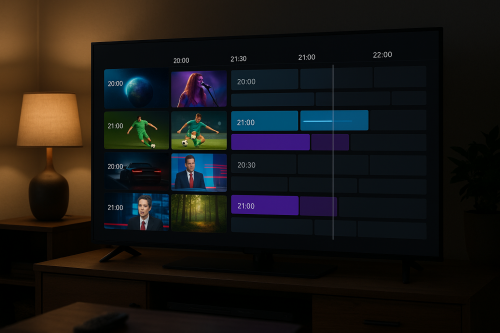
Press the EPG button while watching to open the full program guide. Navigate left/right to see programs across time, and up/down to browse channels. Press OK on any program to tune to that channel or see details.
Recording
Perfect Player supports scheduled recording:
- Navigate to a program in the EPG
- Long-press to set a recording
- Choose your storage location (internal or external storage)
Optimizing Perfect Player Settings
Video Player Settings
- Player: Start with the default player. If you experience issues, switch to ExoPlayer or VLC
- Hardware Decoding: Enable for better performance on 4K content
- Aspect Ratio: Set to “Best Fit” for automatic adjustment
Buffering Settings
- Buffer Duration: Set to 5-10 seconds for live TV
- Cache Size: Increase if you have available storage
Interface Settings
- Timeshift: Enable to pause and rewind live TV
- Show Icons: Enable channel logos for easier navigation
- Group Filter: Hide groups you don’t use to reduce clutter
Perfect Player vs TiviMate vs IPTV Smarters
| Feature | Perfect Player | TiviMate | IPTV Smarters |
|---|---|---|---|
| Price | Free | Free / Premium $4.99/yr | Free |
| Platforms | Android, Firestick | Android, Firestick | All platforms |
| DVR Recording | Yes | Premium only | No |
| Xtream Codes | No | Yes | Yes |
| Best For | DVR users, M3U | Power users | Beginners |
Common Perfect Player Problems and Solutions
“Failed to Load Playlist”
Check that your M3U URL is correct and accessible. Paste it in a browser to verify it loads. Ensure your IPTV Flag subscription is active.
Channels Show But Won’t Play
Try switching the player engine. Go to Settings → Player and try ExoPlayer or VLC instead of the default.
EPG Not Updating
Go to Settings → EPG → Force Update. If still failing, verify your EPG URL is correct by testing it in a browser.
App Crashing on Large Playlists
Perfect Player can struggle with playlists over 10,000 channels on older devices. Go to Settings and enable “Compact Mode” to reduce memory usage.
Start Your IPTV Journey Today
Perfect Player is an excellent choice for Android users who want a free, feature-rich IPTV player. Pair it with IPTV Flag for the best possible streaming experience.
🔥 Get IPTV Flag Free Trial — Watch 20,000+ Channels
Experience the best IPTV service with a 24-hour free trial. No credit card required.