
Best IPTV Players for Windows PC 2026 — Full Comparison
Watching IPTV on a Windows PC gives you the biggest screen, the fastest processor, and the most flexibility of any device. But with dozens of IPTV players available for Windows, choosing the right one makes a big difference to your streaming experience.
This guide reviews the best IPTV players for Windows PC in 2026 — covering features, ease of use, EPG support, and performance — so you can pick the right one first time.
What to Look for in a Windows IPTV Player
- M3U and Xtream Codes support — most IPTV providers use one or both formats
- EPG (Electronic Programme Guide) — shows what’s on now and coming up
- Catch-up TV — watch missed programmes from the past 7 days
- 4K / HDR support — essential if you have a high-res monitor
- Multi-screen support — watch multiple channels simultaneously
- Stability — no crashes, smooth channel switching
1. VLC Media Player — Best Free Option
VLC is the world’s most popular media player and a solid choice for IPTV on Windows. It’s completely free, open-source, and plays virtually any video format without codec packs.
How to Add an M3U Playlist to VLC
- Open VLC and click Media → Open Network Stream.
- Paste your M3U URL and click Play.
- Alternatively: Media → Open File → select your downloaded .m3u file.
Pros: Free, lightweight, universal format support, no account needed
Cons: No built-in EPG, basic interface, no Xtream Codes support natively
Best for: Casual viewers who want a quick setup without extra features
2. IPTV Smarters Pro — Best Overall
IPTV Smarters Pro is available for Windows via the Microsoft Store and offers a polished, feature-rich experience designed specifically for IPTV.
Key Features
- Supports both M3U URLs and Xtream Codes API
- Full EPG guide with 7-day schedule
- Catch-up TV support
- VOD library with movie/series sections
- Multiple user profiles
- Parental controls
Pros: Excellent UI, full feature set, fast channel switching
Cons: Free version shows ads; pro version costs a small fee
Best for: Users who want the complete IPTV experience on Windows
3. TiviMate — Best EPG Experience
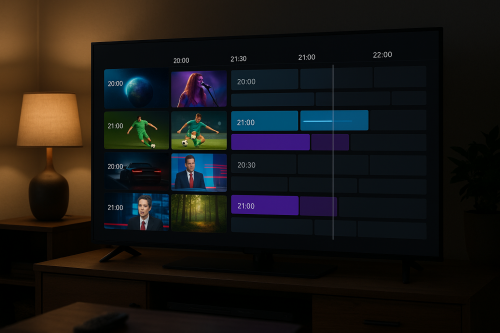
TiviMate was originally Android-only but is now available for Windows via an Android emulator (BlueStacks) or natively on Windows 11’s Android subsystem. It’s famous for its beautiful EPG grid and TV-like interface.
Key Features
- Stunning EPG grid layout
- Channel grouping and favourites
- DVR recording (premium feature)
- Multi-stream support (watch 4 channels at once)
- Smooth, TV-like navigation
Pros: Best EPG on any platform, highly polished
Cons: Requires Windows 11 or BlueStacks for native Windows use
Best for: Live TV enthusiasts who watch a lot of scheduled programming
4. Kodi with PVR IPTV Simple Client — Most Customisable
Kodi is the most customisable option. With the PVR IPTV Simple Client add-on and the right skin, it becomes a full home cinema system that also handles IPTV, local media, streaming services, and more.
Pros: Unlimited customisation, huge add-on library, works on all Windows versions
Cons: More complex setup; requires additional configuration for IPTV
Best for: Power users who want a unified media centre
5. Perfect Player — Best Lightweight Option
Perfect Player is a simple, fast IPTV player that does exactly what it says. Minimal interface, quick channel loading, and very low CPU usage — perfect for older Windows PCs.
Pros: Extremely lightweight, supports M3U and XSPF playlists, fully free
Cons: No Xtream Codes support, basic EPG
Best for: Older PCs or users who want maximum speed with minimal features
6. GSE Smart IPTV — Best for Advanced Users
GSE Smart IPTV offers granular control over your streams — you can manage multiple playlists, set up favourites lists, configure buffer sizes, and fine-tune video settings. Available via the Microsoft Store.
Pros: Highly configurable, supports multiple playlist formats, good EPG
Cons: Interface can feel overwhelming for beginners
Best for: Technical users who want full control over their IPTV setup
Comparison Table
| Player | Price | M3U | Xtream Codes | EPG | Catch-up | 4K |
|---|---|---|---|---|---|---|
| VLC | Free | ✓ | ✗ | ✗ | ✗ | ✓ |
| IPTV Smarters Pro | Free/Paid | ✓ | ✓ | ✓ | ✓ | ✓ |
| TiviMate | Free/Paid | ✓ | ✓ | ✓ | ✓ | ✓ |
| Kodi | Free | ✓ | ✓ | ✓ | ✓ | ✓ |
| Perfect Player | Free | ✓ | ✗ | Basic | ✗ | ✓ |
| GSE Smart IPTV | Free/Paid | ✓ | ✓ | ✓ | ✓ | ✓ |
How to Get Started on Windows Today
All of the players above work perfectly with an IPTV Flag subscription. We recommend starting with IPTV Smarters Pro for the easiest setup, or TiviMate via BlueStacks if you want the best EPG experience.
Test any player free for 24 hours with our no-credit-card trial: Start your free IPTV trial →